 Backlsh




Track Project Time Automatically via Desktop App
Backlsh tracks time automatically using a desktop application. Time is captured while employees work.
- No start/stop timers required
- Runs in the background
- Install the tracker on Windows or Mac
Project & task tracking
Backlsh is an automatic project time tracking software that tracks work time across projects and tasks without manual timers.
Teams can create projects, define tasks, assign members, and set deadlines, while Backlsh records time using the desktop app and configured rules.
14-day free trial · No credit card · $2.99/user/month
Organize work with structured project tracking. Backlsh keeps projects organized and ownership clear.
Automatic Timesheet Mapping
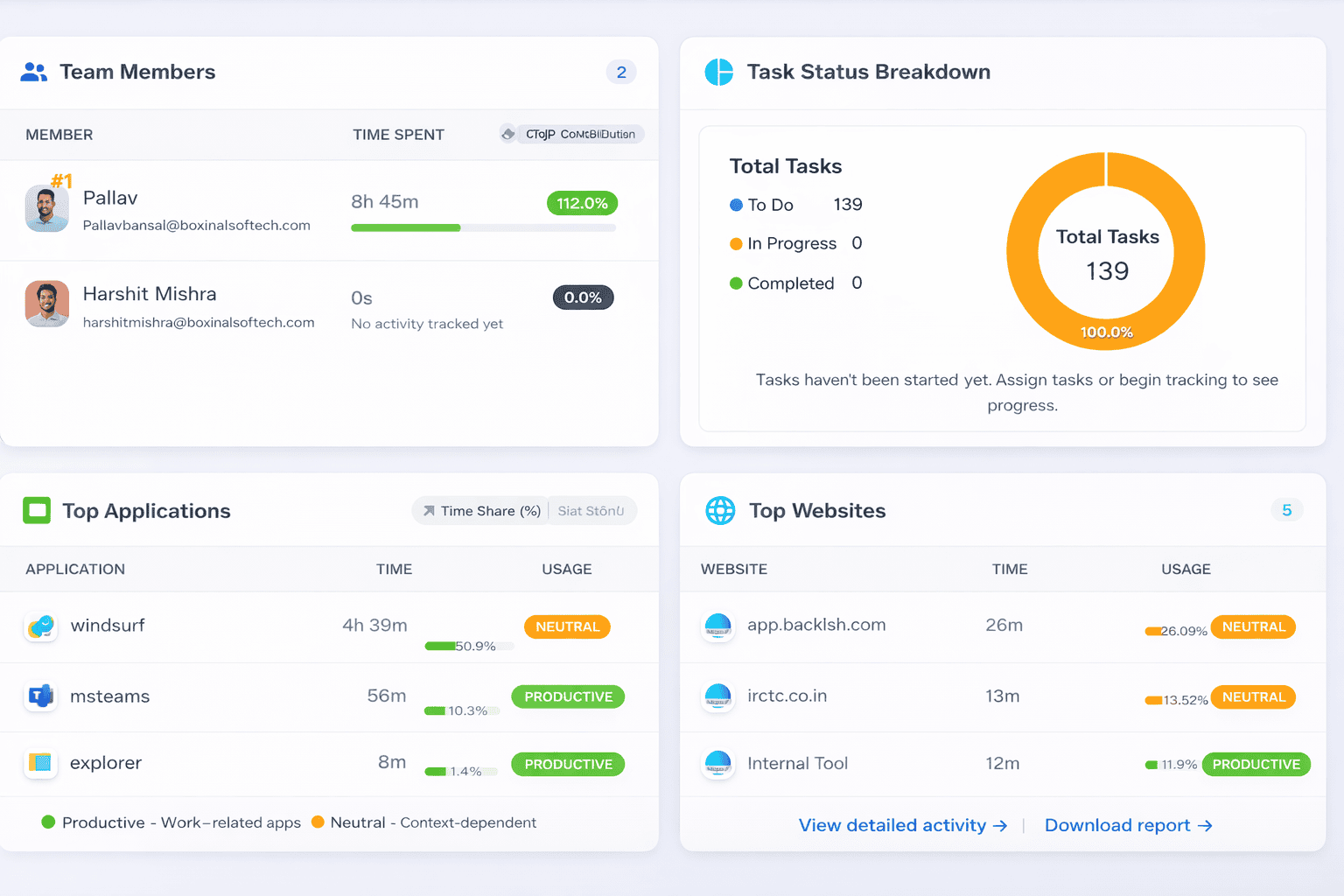
Set rules to connect website and app activity to projects automatically. Backlsh maps matching recorded work to projects using rules you configure, helping you review automatic timesheet mapping in project reports.
CONFIGURED PROJECT MAPPING
 github.com/acme
Recorded activity appears in the project report.
Recorded work activity, clear reports, and less manual follow-up.
Backlsh tracks time automatically using a desktop application. Time is captured while employees work.
Get visibility into work distribution. Useful for agencies, IT teams, and service businesses.
See project hours, member contributions, task progress, and activity trends. Review project reports alongside recorded app and website activity.
Monitor project work and recorded hours to make informed planning decisions.
Built for distributed teams. Review project work across locations.
Before enabling monitoring, clearly document what is captured, when monitoring operates, who can access the data and how long it is retained.
Use our employee monitoring policy templateFROM THE PEOPLE USING BACKLSH
 Chirag DeolFounder &
CMORESOURCE PLANNING
Better context.
Clearer decisions.
“Its precise time tracking helps us allocate resources effectively, while distraction-minimizing features ensure focus on key tasks.”
 Joe SampsonManaging Director
REMOTE TEAM VISIBILITY
“Its accurate time tracking ensures everyone stays accountable, even across different time zones.”
A connected view of distributed work.
 Alex HuckFounding Director
DISTRIBUTED TEAMS
“With Backlsh, our distributed team remains efficient and focused, regardless of our location.”
One perspective across locations.
In their own words. Testimonials from Backlsh customers.
Read independent reviewsCreate your account, invite your team, and install the desktop tracker.
Sign up for Backlsh to get started.
Download the tracker for yourself, or invite your team to join.
Install Backlsh on the computers you want to track.
Website, app, and screenshot insights will start appearing within 2 minutes.
Create your projects, assign members, and add app or website matching rules. Review the mapped activity before relying on project timesheets.

For a personalised pricing quote, contact us here.
PREMIUM PLAN
$2.99 /month/member
No Card Required | 14 Days Free Trial
“Backlsh tracks time automatically without interrupting our team. Just accurate data”
“Project and task tracking finally feels effortless. Reporting is clean and reliable.”
Set app and website matching rules for each project. Backlsh uses configured rules to associate matching recorded activity with project work. Mapping requires setup; it does not infer every project automatically.
Yes. Create projects and tasks, assign members, and set deadlines. Review recorded time alongside the project’s work.